 Remont
Plan your renovation with Claude
Remont is a free MCP connector that turns a chat with Claude into a complete renovation plan: work order, materials calculated from your room sizes, prices from local DIY stores, contractor rates, a checklist, a floor layout and a 3D view.
Connect to Claude🧮 Calculatorhttps://remont-mcp.wrpzdm9jmt.workers.dev/mcp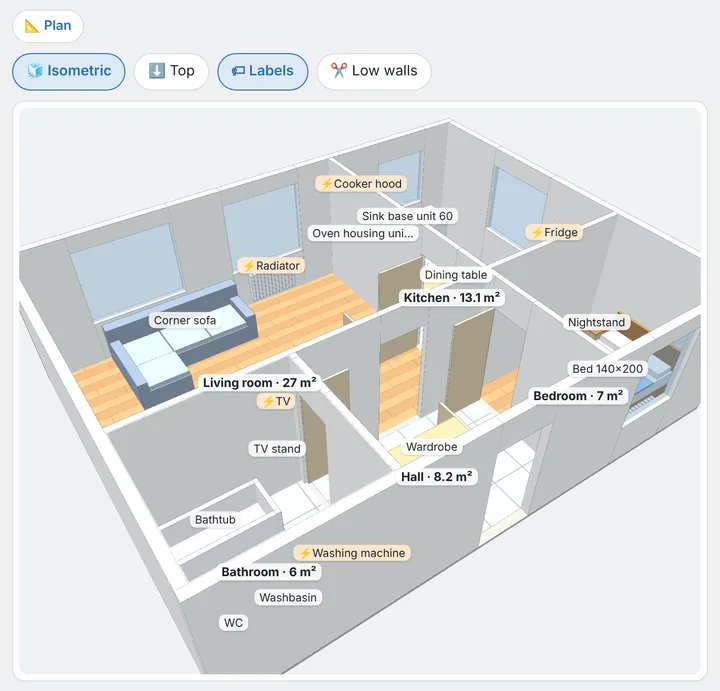
Example plans
Open a ready plan — tick tasks, switch DIY / contractor and standard / premium, look at the layout in 3D.
61 m² · electrics, walls, bathroom, floors, kitchen, painting, doors · with a furniture layout and 3D
Open the plan →Bathroom, Warsaw4.5 m² · waterproofing, tiles, fixtures · by a contractor
Open the plan →Flat refresh, Berlin58 m² · walls, floors, painting, doors · by contractors
Open the plan →New-build flat, Kyiv50 m² · from shell to finish · mostly DIY
Open the plan →Kitchen and bathroom, London15 m² · refit by a contractor
Open the plan →Condo refresh, Chicago570 sq ft · drywall, LVP floors, paint, doors
Open the plan →What it looks like
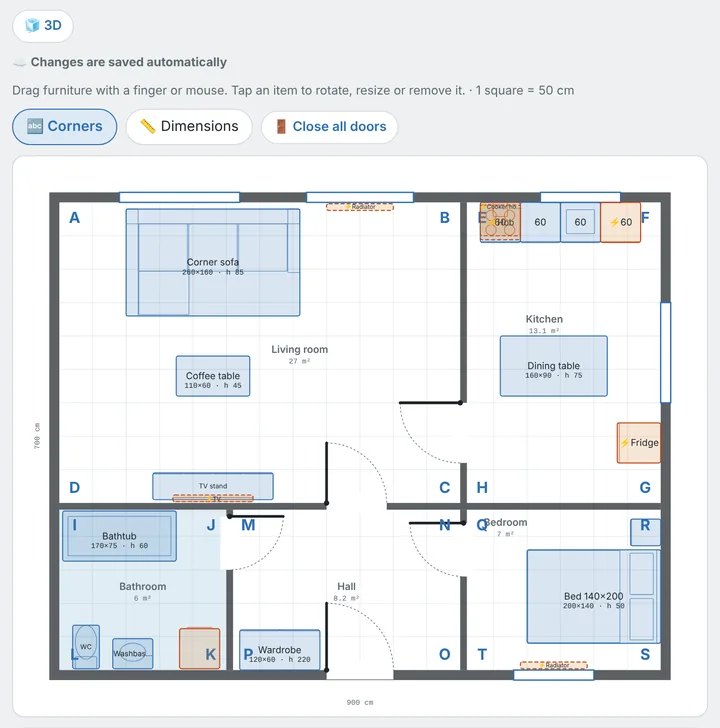
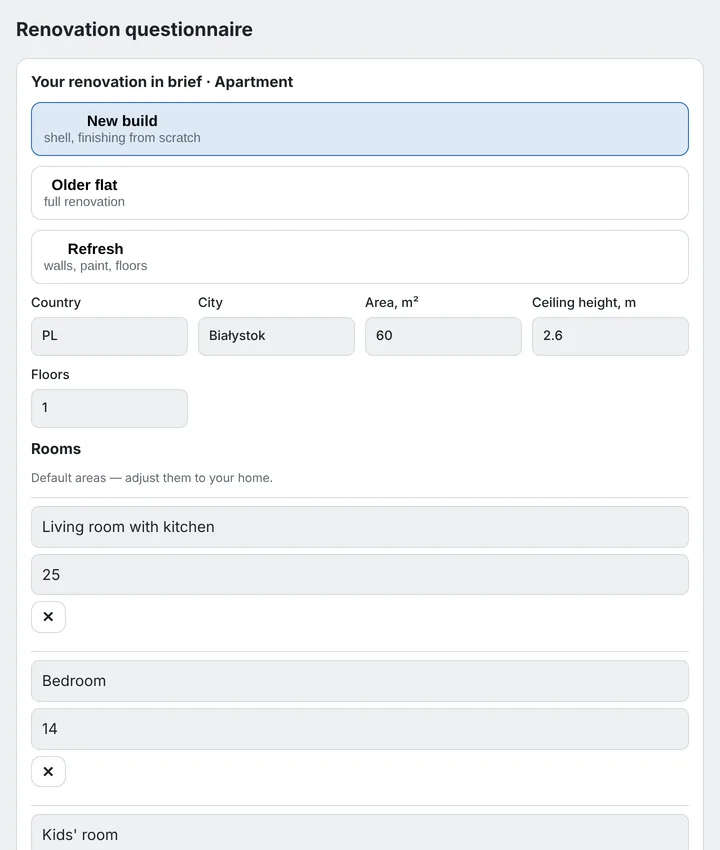
What it does
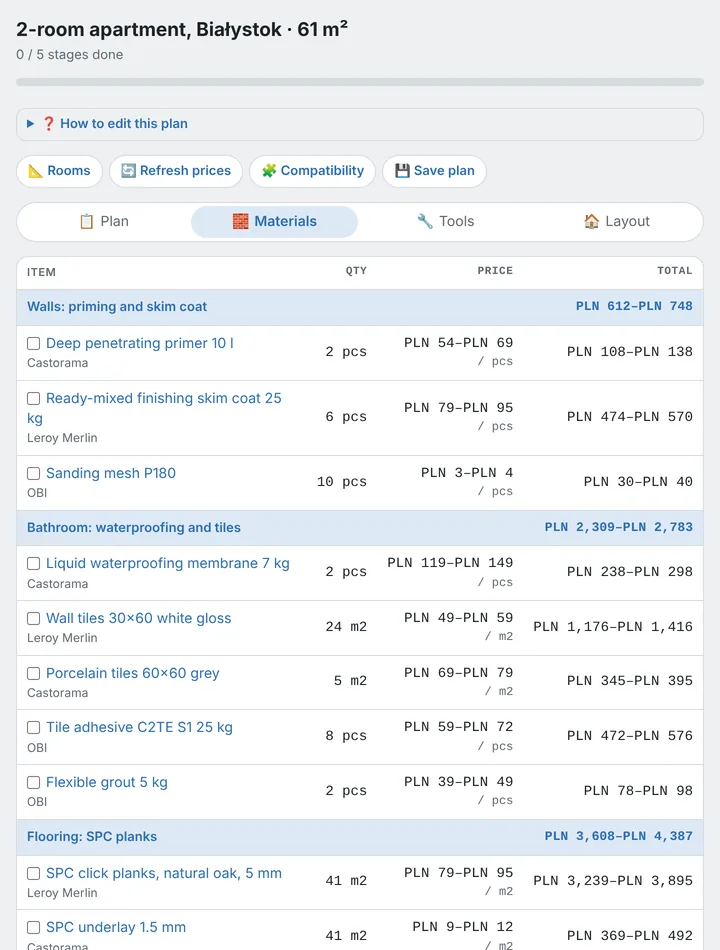
Materials from room sizes
Paint, putty, primer, tiles, adhesive, grout, flooring, underlay, drywall — with packs and waste.
Work order
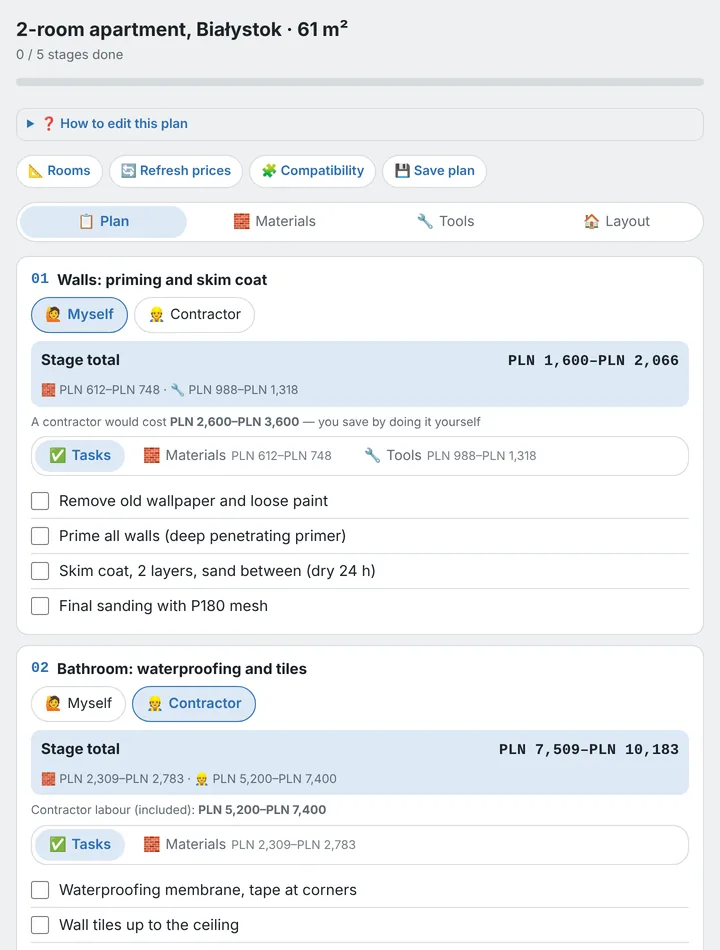
Stages in the right sequence with drying times; tasks as a checklist you tick off.
Local prices
DIY stores of your country with product links; standard, premium and luxury options.
DIY or contractor
Switch any stage between doing it yourself and hiring a pro — the estimate updates.
Tools
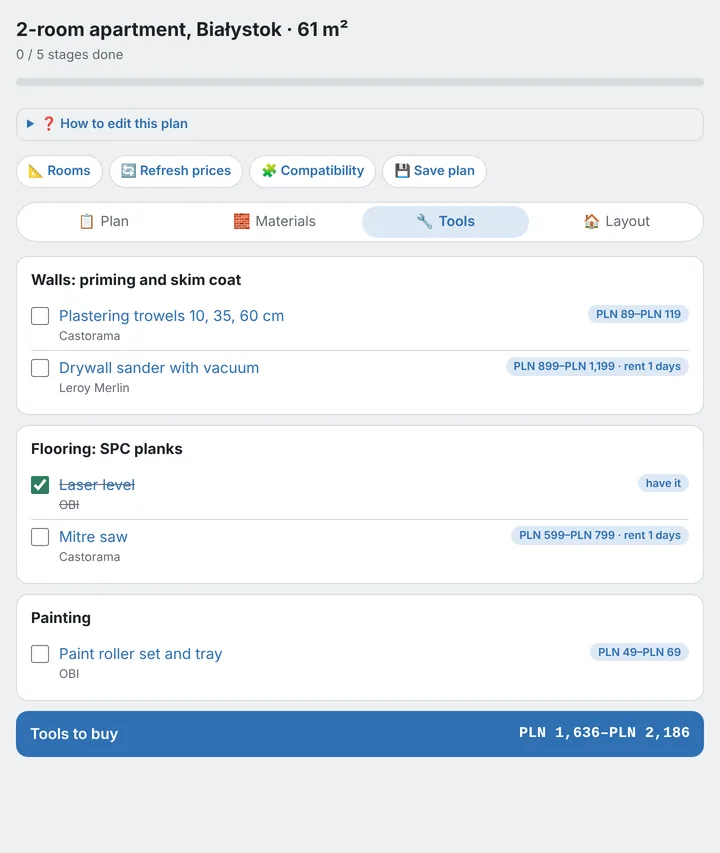
What to buy and what is cheaper to rent, for the stages you do yourself.
Floor layout and 3D
Rooms, doors and windows, drag furniture and kitchen units, look at it in 3D.
Saved plans
A personal code opens your plans in any chat or by a link; purchases and ticks are kept.
22 countries
EU, UK, US, Canada, Ukraine and more; feet and pounds for the US. Plans in 5 languages.
How it works
- Add the connector to Claude (once).
- Tell Claude about your home or send a floor plan photo — or fill in the short questionnaire.
- Get an interactive plan: change materials, switch DIY / contractor, tick tasks, save it.
Connect
Claude (web, desktop, mobile)
- Open claude.ai and sign in.
- Go to Settings → Connectors (in newer versions: Customize → Connectors).
- Click “Add custom connector” (or “+”).
- Name: Remont. URL: the server URL above. No OAuth or keys needed — click Add.
- In a chat, open the “+” / tools menu and make sure Remont is on. Then just ask about your renovation.
Free plan: one custom connector. Team / Enterprise: an owner adds it in the organisation settings first. Once added, it also works in the Claude desktop and mobile apps.
ChatGPT
With developer mode on: add a custom connector (app) with the server URL and no authentication.
Claude Code
claude mcp add --transport http remont https://remont-mcp.wrpzdm9jmt.workers.dev/mcp
Cursor, VS Code and other MCP clients
{
  "mcpServers": {
    "remont": {
      "url": "https://remont-mcp.wrpzdm9jmt.workers.dev/mcp"
    }
  }
}
Try asking
Questions
Is it free?
Yes. The connector is free and needs no sign-in. You need an account in Claude (or another MCP client); whether you can add custom connectors depends on your plan there.
Where do the prices come from?
Claude looks them up in the DIY stores of your country and links every product. Where no store price is found yet, the plan shows an approximate price marked ≈.
What about my data?
No account and no personal data. Plans are stored under a random code; plan links are unguessable and not indexed.
Which countries?
22 countries are built in, including Poland, Germany, the UK, the US, Canada and Ukraine. For other countries Claude adds the currency and stores itself.